Free Construction Project Management
Gantt Charts Built for Small Builders
Managing a building project in your head - or on the back of a sheet of paper - works right up until it doesn't. Juggling trades, material deliveries, weather delays and a client who keeps changing their mind is a lot to track. BuildersCalc.Pro now includes a free programme planner with full Gantt chart support, built specifically for small building firms and sole traders.
What Is a Gantt Chart and Why Does It Matter?
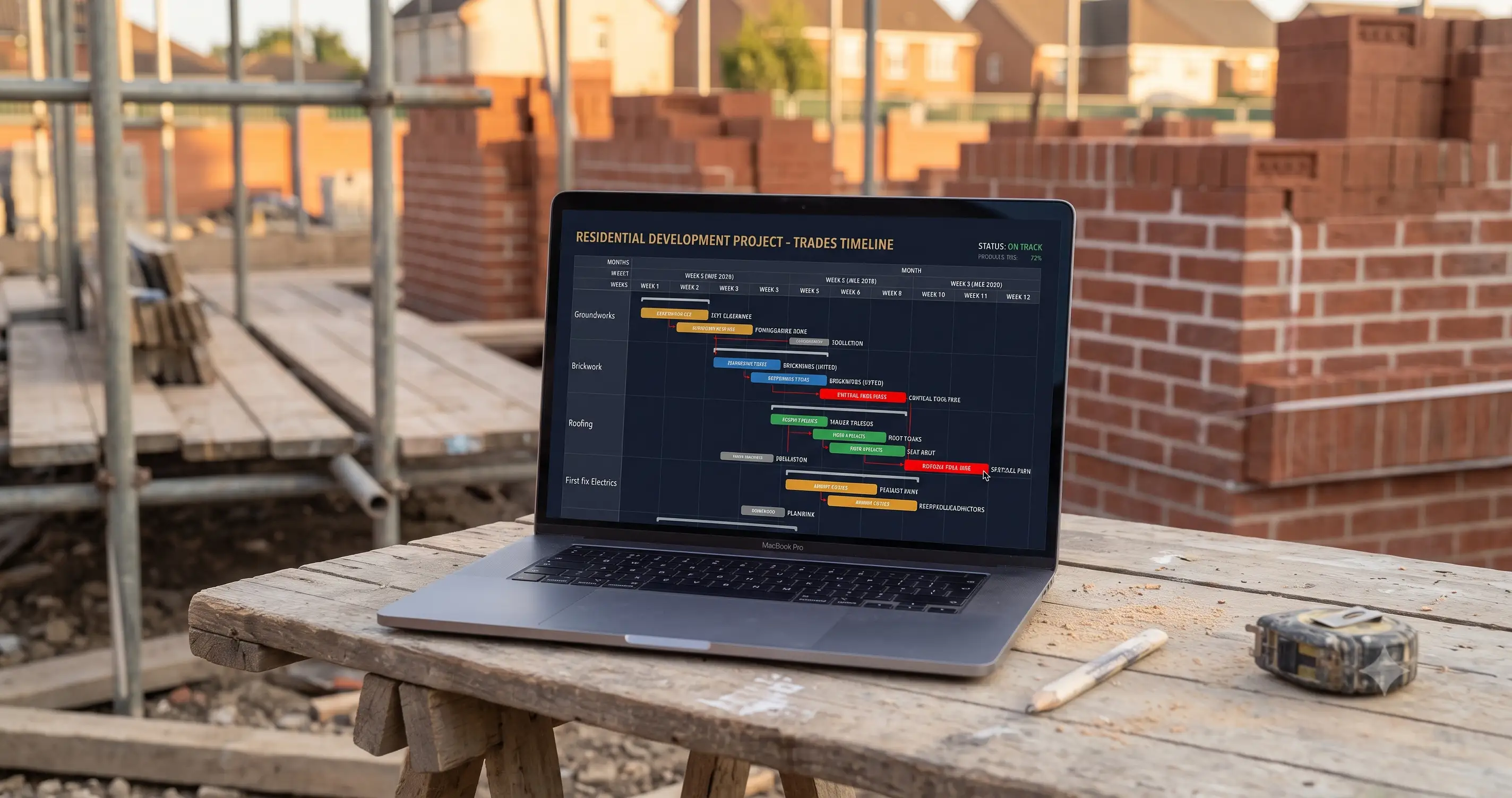
A Gantt chart is simply a visual timeline of your project. Each task sits on a horizontal bar showing when it starts, how long it runs and when it finishes. At a glance you can see the whole project - what is happening this week, what is coming up, what depends on what, and whether you are running behind.
Construction firms of all sizes use Gantt charts. Until now the tools to create them have been either expensive (Microsoft Project, Primavera) or too generic (generic spreadsheet templates that take hours to set up). BuildersCalc.Pro gives you a proper Gantt chart as part of a free account - no spreadsheet wrangling, no monthly fee, no download required.
Getting Started in Under a Minute
The programme view is attached to your saved projects. Build a project using the calculators - add your groundworks, masonry, roofing, first fix, second fix - and then open the Programme view from the project page. Your task list is already there, pulled straight from the calculator items you have already added.
If none of your tasks have dates yet, the tool detects this and offers to auto-schedule them for you. Tell it how many days you want to allow for each item and it will lay them out sequentially from a start date of your choosing. You can then fine-tune from there rather than starting from a blank canvas.
Drag to Schedule - No Forms to Fill In
Once your tasks are on the chart, scheduling is done entirely by dragging. There are no date-entry forms to fill in and no dropdowns to navigate.
- Drag the left edge of a bar to push the start date forward or back
- Drag the right edge to extend or shorten the duration
- Drag the middle of a bar to move the whole task without changing its duration
The chart updates in real time as you drag. Dates show on the bar as you move it so you always know exactly where you are landing. It works on touch screens too, so you can adjust your programme on a tablet or phone on site.
Link Tasks with Dependency Arrows
On a real building site, tasks do not happen in isolation. The first fix electrician cannot start until the studwork is up. The plasterer cannot come in until the first fix is signed off. These are dependencies - and getting them wrong means trades arriving on site with nothing to do.
The programme planner lets you draw dependency arrows between tasks to capture these relationships. Hit the Link button, click the predecessor task and then click the task that follows it - an arrow is drawn between them. You can link as many pairs as you like to build up the full picture of how your project flows.
Dependencies are not just visual. When you drag a predecessor task forward in time, all the tasks that depend on it automatically move with it. Shift your groundworks back by a week and the whole chain - foundations, blockwork, drainage - slides forward to match. You do not have to manually adjust every dependent task.
Critical Path - Know What Really Matters
Not every delay has the same impact. Pushing back a task that has slack in the programme might have no effect on your finish date. Pushing back a task on the critical path adds directly to the overall project duration.
The programme planner calculates your critical path automatically and highlights it in red. The longest chain of dependent tasks - the sequence that determines your completion date - is shown in a distinct red colour so it stands out immediately. Any task on the critical path needs to be protected. Any task not on the critical path can be managed with more flexibility.
For small builders managing a tight programme with multiple trades, this is the kind of insight that previously required expensive project management software.
Set a Baseline and Track Slip
Plans change. A baseline captures your programme at a point in time - typically when the project starts or when the plan is agreed with the client - so you can compare it against where you actually are.
Hit the Baseline button to snapshot your current programme. From that point on, ghost bars appear behind each task showing where it was originally planned to be. If a task has slipped, a label tells you by how many days. If you have made up time, it tells you that too. At a glance you can see which parts of the project are running to plan and which have drifted.
This is particularly useful when a client asks why the project is running late. Rather than trying to recall what the original plan was, you can show them exactly where each task sat in the original programme versus where it is now.
Cloud Save for Pro Accounts
For free accounts, programme data is saved locally in your browser - which is fine for a single device. Pro users get their programme saved to the cloud alongside their project data, so it is accessible from any device and never lost if you clear your browser or switch machines.
Pro accounts also get a manual save button with a dirty flag - a visible indicator when there are unsaved changes - and a warning if you try to leave the page without saving. Your programme is too important to lose to an accidental browser close.
How It Compares to the Alternatives
Microsoft Project
Powerful but expensive, complex to learn and overkill for most small building firms. A single licence costs more per month than a BuildersCalc.Pro Pro subscription costs for a year.
Downloadable templates
Sometimes you need something to print, email to a client or file away - not an interactive planner. For that we offer a separate set of free downloadable construction templates: Excel Gantt charts pre-built for house extensions, loft conversions and groundworks; a programme of works document for client sign-off; a site diary for daily records; a snag list for defect management; a variation order for scope changes; and a handover checklist for practical completion. All free, no sign-up required. The interactive programme planner above is the better tool for day-to-day scheduling - the templates are there when you need something on paper.
General project management apps
Tools like Trello, Asana or Monday.com are good for office-based project management but are not built around construction. They do not understand the relationship between a bricklayer, a scaffold and a roof structure. BuildersCalc.Pro is built from the ground up for builders.
Try the Programme Planner Free
Create a free account, add your project tasks using the calculators, and open the Programme view. Drag to schedule, link your trades, spot the critical path and track against your baseline - all free, no download required.
Start Your First Project